
Geostation Trial1.03 - Google Play
You'll be able to see results in few seconds.
Publisher Description


This is the Trial Version of
https://play.google.com/store/apps/details?id=es.terrasolum.geostation
This app is designed for Engineers and Geologists that are working with rock mechanics and is used as a handy tool, which accelerates the field work with geomechanical stations.
Geostation allows you to carry out the following functions:
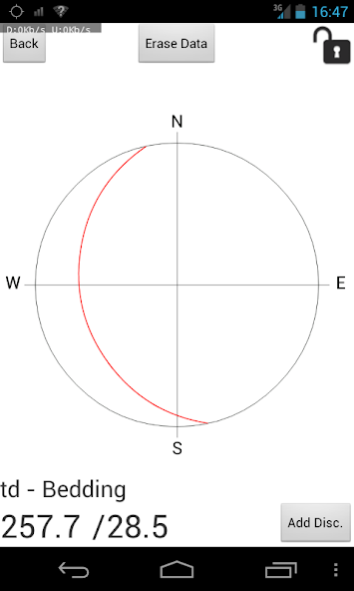
• Geomechanical station (measuring the dips, dip directions and strikes of discontinuity sets using the mobile device as a compass-clinometer)
• Geomechanical classification by the Rock Mass Rating (RMR) system (After Bieniawski 1989), the Rock Tunnelling Quality Index, Q is indicated as well
• Each recorded geostation can be localised by GPS
• Each recorded geostation can be documented by a photo.
• A quick overview over all recorded geostations of a project is provided by a map function, using aerial photos or plane map views.
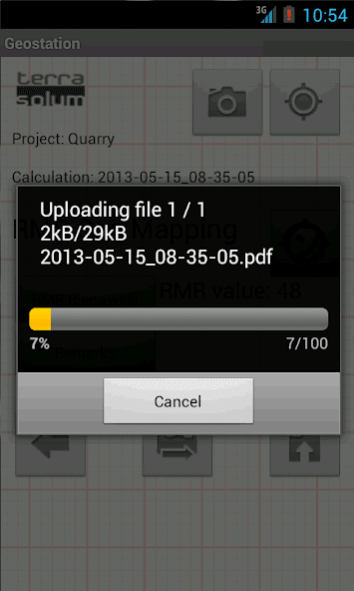
• Report generation including all data and photo in PDF format is done directly on the device.
• All data can be provided by .CSV files and photos (.JPG format).
• The files can be sent by email or uploaded to the users Dropbox account right from the site you are working on.
• Export the data in KMZ format for viewing on a desktop PC
All above mentioned functions will be done very fast, allowing user to minimize long in situ testing time.
for more info please consult the apps manual at:
http://www.terrasolum.es/Apps/Manuals/GeoStation_manual.pdf
About Geostation Trial
The company that develops Geostation Trial is Geomecanica Apps. The latest version released by its developer is 1.03.
To install Geostation Trial on your Android device, just click the green Continue To App button above to start the installation process. The app is listed on our website since 2014-10-30 and was downloaded 0 times. We have already checked if the download link is safe, however for your own protection we recommend that you scan the downloaded app with your antivirus. Your antivirus may detect the Geostation Trial as malware as malware if the download link to es.terrasolum.geostation_trial is broken.
How to install Geostation Trial on your Android device:
- Click on the Continue To App button on our website. This will redirect you to Google Play.
- Once the Geostation Trial is shown in the Google Play listing of your Android device, you can start its download and installation. Tap on the Install button located below the search bar and to the right of the app icon.
- A pop-up window with the permissions required by Geostation Trial will be shown. Click on Accept to continue the process.
- Geostation Trial will be downloaded onto your device, displaying a progress. Once the download completes, the installation will start and you'll get a notification after the installation is finished.
Program Details
System requirements
Download information
Pricing
Version History
version 1.03
posted on 2014-10-30
,RMR Calculation fix., ,Minor bug fixes., ,Minor bug fixes. GPS improvements., ,initial version
Disclaimer
Official Google Play Link
We do not host Geostation Trial on our servers. We did not scan it for viruses, adware, spyware or other type of malware. This app is hosted by Google and passed their terms and conditions to be listed there. We recommend caution when installing it.
The Google Play link for Geostation Trial is provided to you by apps112.com without any warranties, representations or guarantees of any kind, so access it at your own risk.
If you have questions regarding this particular app contact the publisher directly. For questions about the functionalities of apps112.com contact us.
